Processing Transient EM simulation results
This user’s guide demonstrates Transient EM simulations in TRAFOLO. Transient simulations are used for non-sinusoidal waveforms or non-linear scenarios where sinusoidal excitations produce non-sinusoidal responses, such as in saturated cores where the B-H hysteresis curve exhibits strong non-linearity. For transient simulation, a discrete Fourier transform is applied to break down the waveform into a specified number of harmonics, and then, the AC Resistance/DC Resistance (Rac/Rdc) for each is calculated. Then, the effective Rac/Rdc is calculated using harmonics amplitudes as weights.
Identifying Simulation Outputs
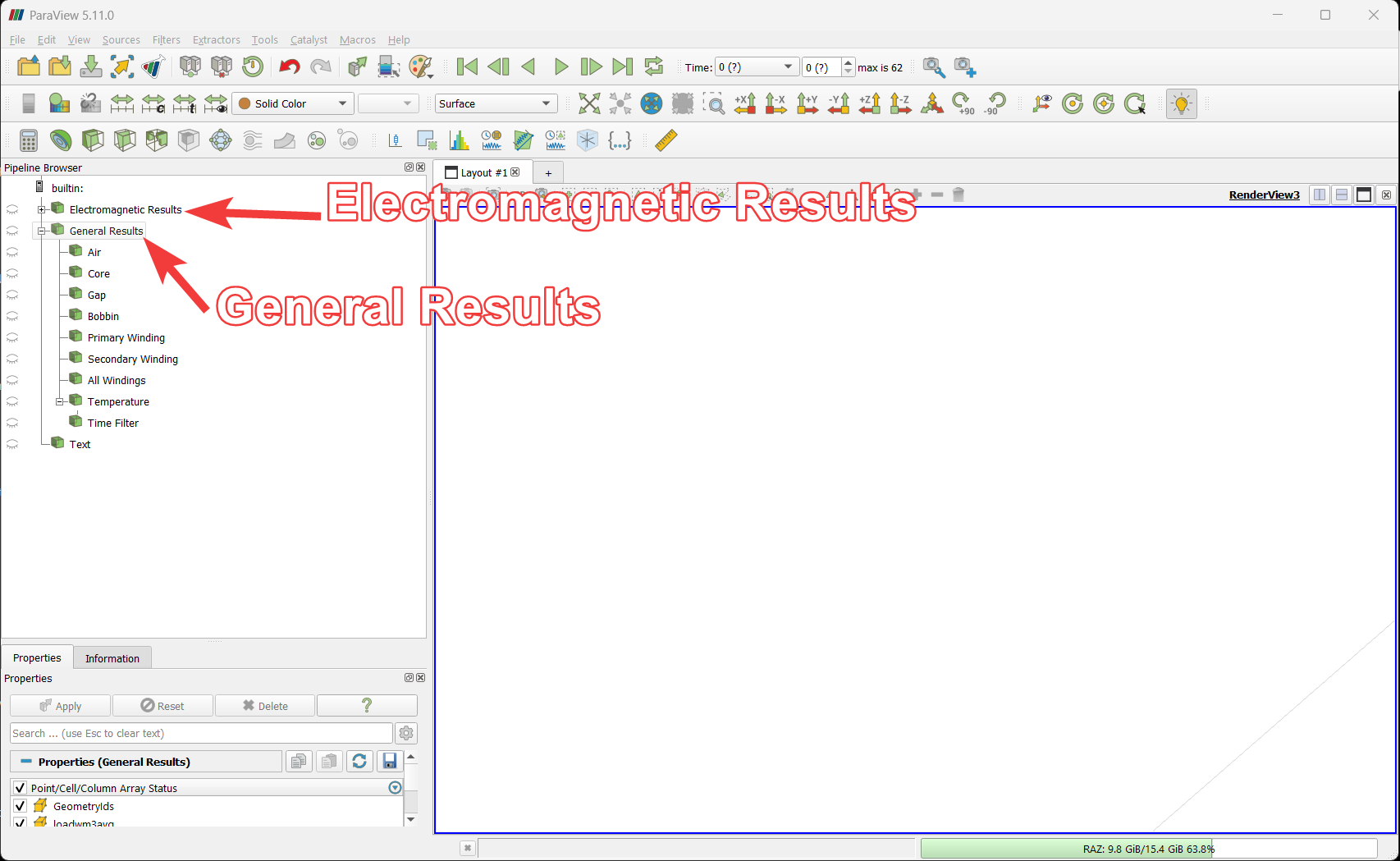
There are two types of results
- Electromagnetic Results: Electromagnetic results are for transient time series in electromagnetics.
- General Results: General results are for post-processed or temperature results with average values.
Visualizing Transient Simulation Electromagnetic Results
Enable (by clicking on the eye icons “👁”) filters in the ParaView tabto visualize fields applied to different geometries. Click on the Electromagnetic Results to visualize magnetic flux distribution.
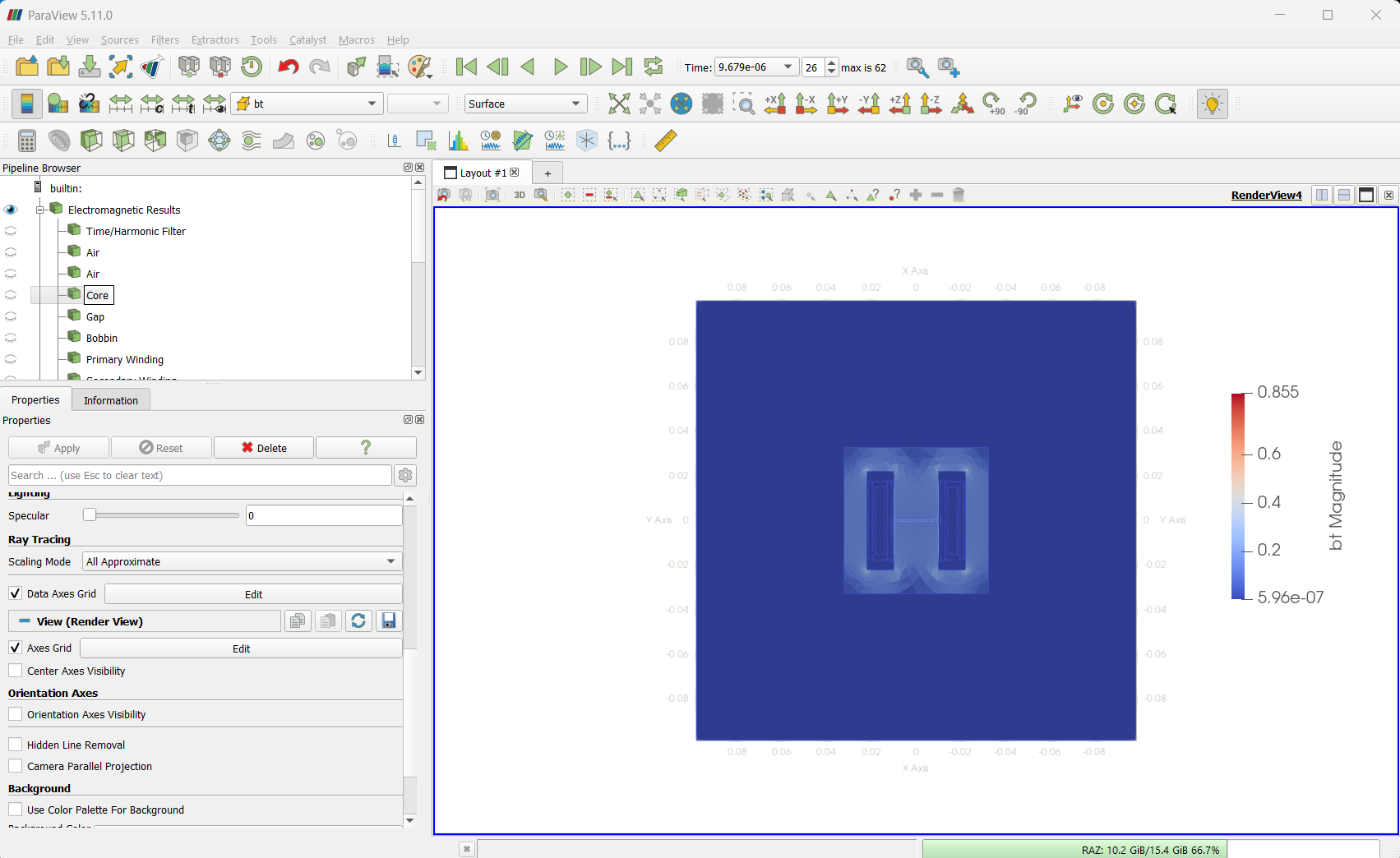
Illustrative Visualization Examples
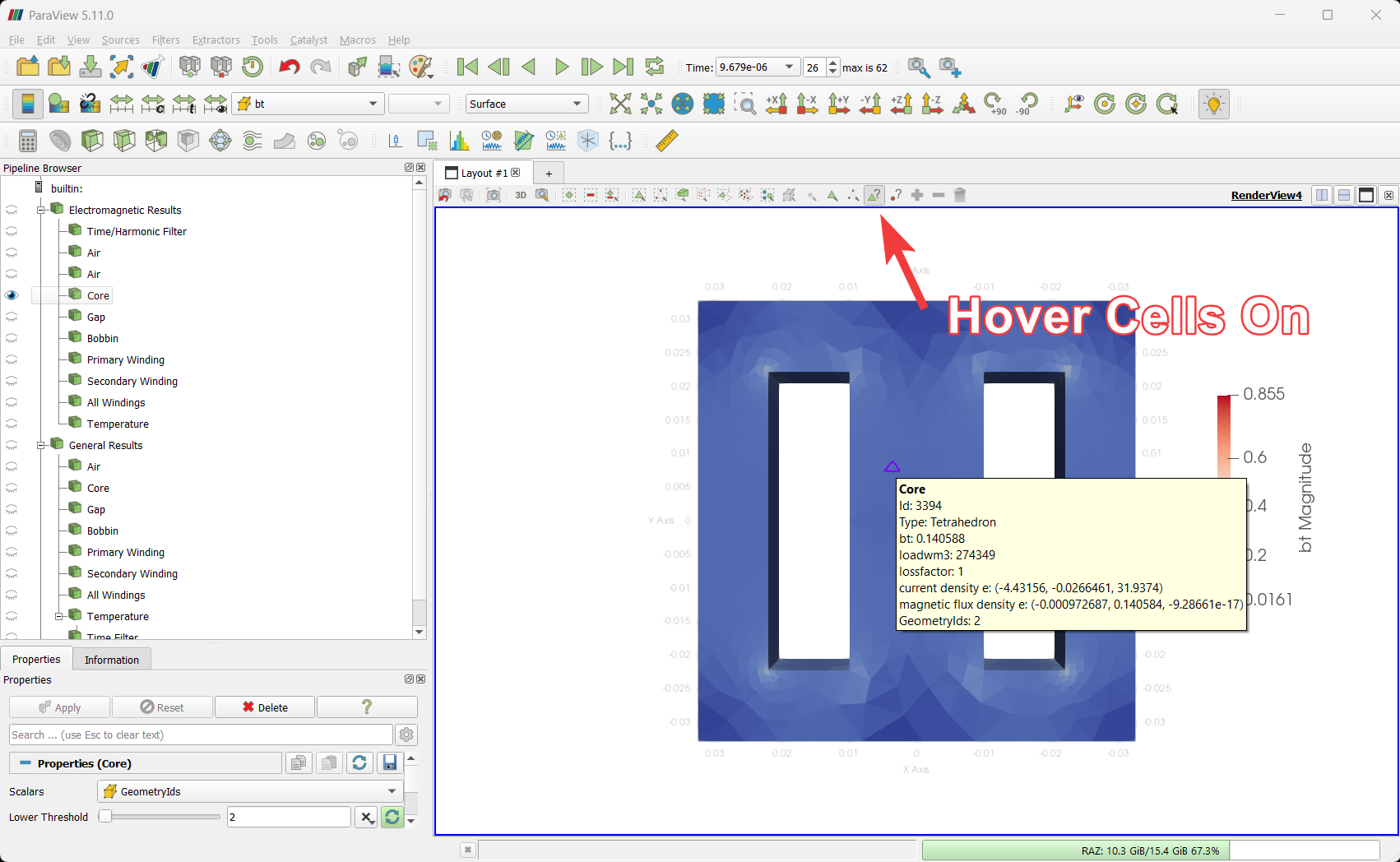
Visualizing magnetic flux in the core
- Enable the eye icon “👁” with the Core name to visualize magnetic flux distribution in the core.
- Choose the bt field intheParaView tab to visualize magnetic flux in Tesla.
- Change the visualized time by selecting Time in the time toolbar from the dropdown or click play to see values as a video.
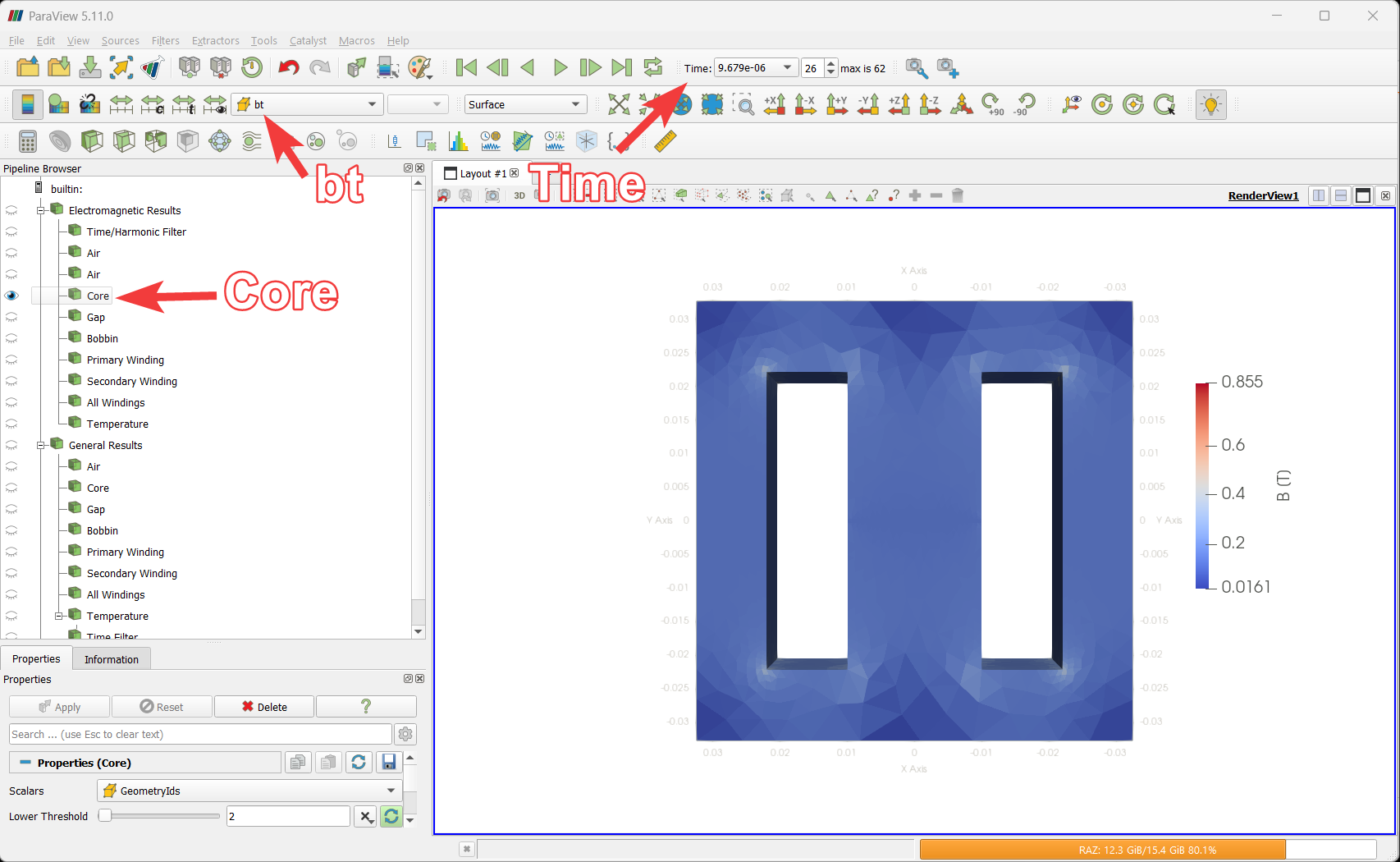
- Click on the Hover Cells On buttonin the render toolbar, then hover over Core to see field values.
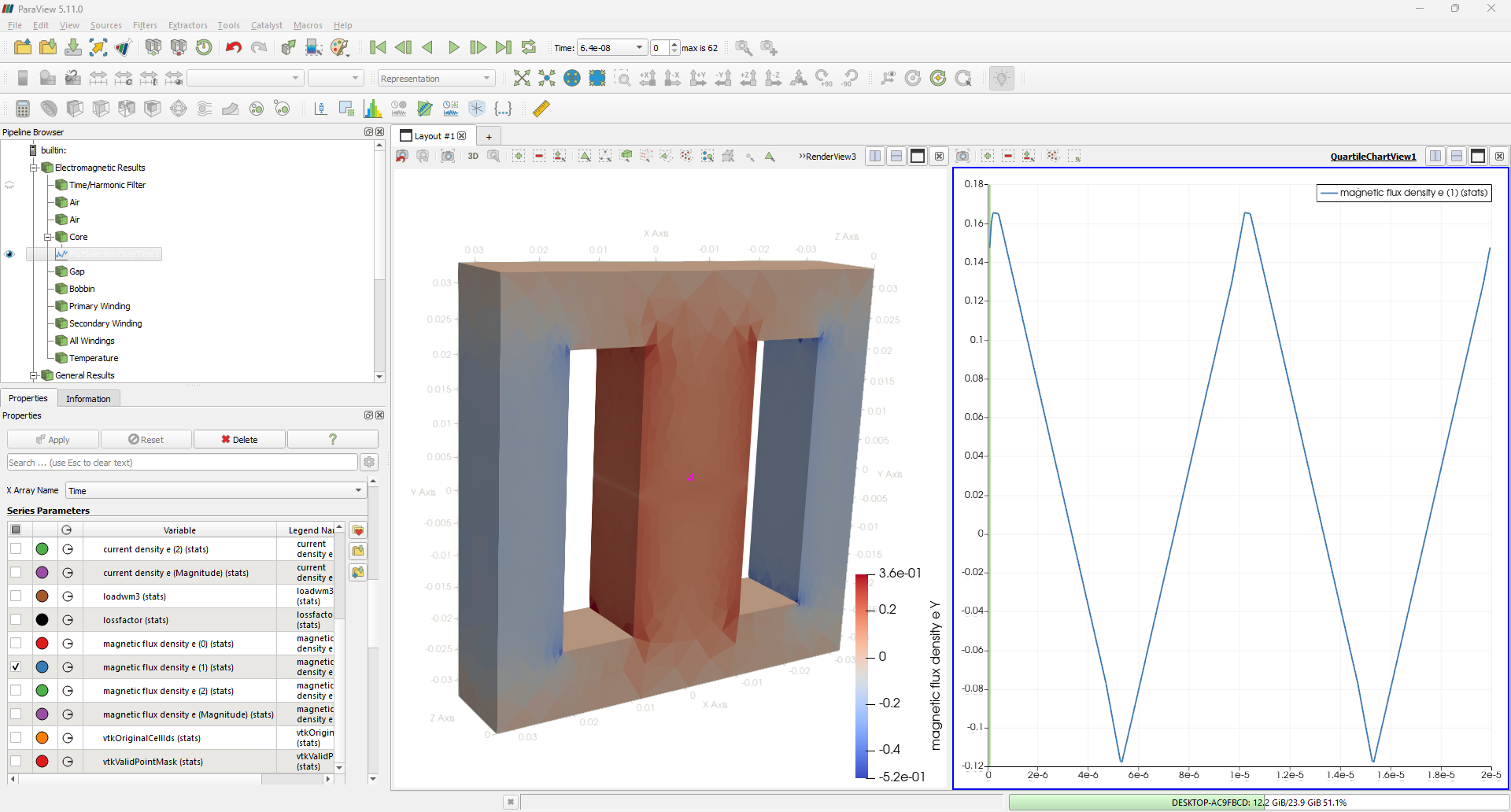
Visualizing Magnetic Flux Value in Time
Use the Plot Selection Over Time filter. Here the graph for Magnetic Flux Density distribution is shown.
Current density, Load, and magnetic flux density can also be analyzed by unticking the Check box.
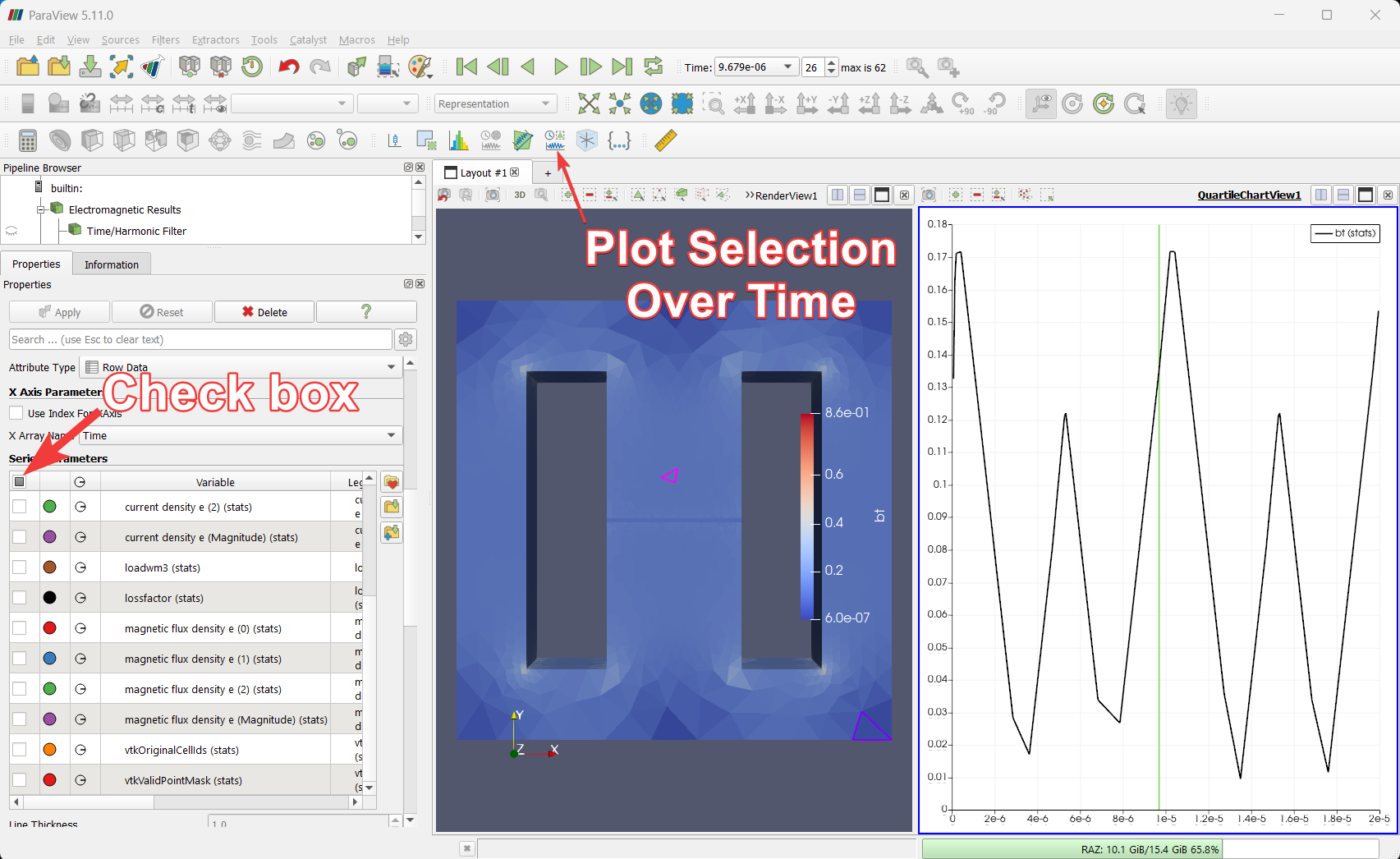
Note: The graph in the above figure shows the just the amplitude of the Magnetic Flux Density. To get the positive and negative waveform and values, select a different parameter from the ParaView Series Parameters tab. Similar case example is shown in below figure.